Why Do Dental Websites Lose Appointment Requests?
Most lost requests come from friction, not lack of interest. Visitors leave when they can't quickly confirm that you offer their treatment, are close enough, fit their budget or insurance, and are easy to contact. Every unanswered question or extra step sends a hesitant patient back to search results.
A new patient with a cracked crown often opens three or four practice websites in separate tabs and gives each a few seconds. They're checking a short list: Do you treat my problem? Are you nearby and open when I can come in? Will this be affordable? Can I trust you? How do I reach you now? A site that makes people hunt for those answers loses them to the next tab.
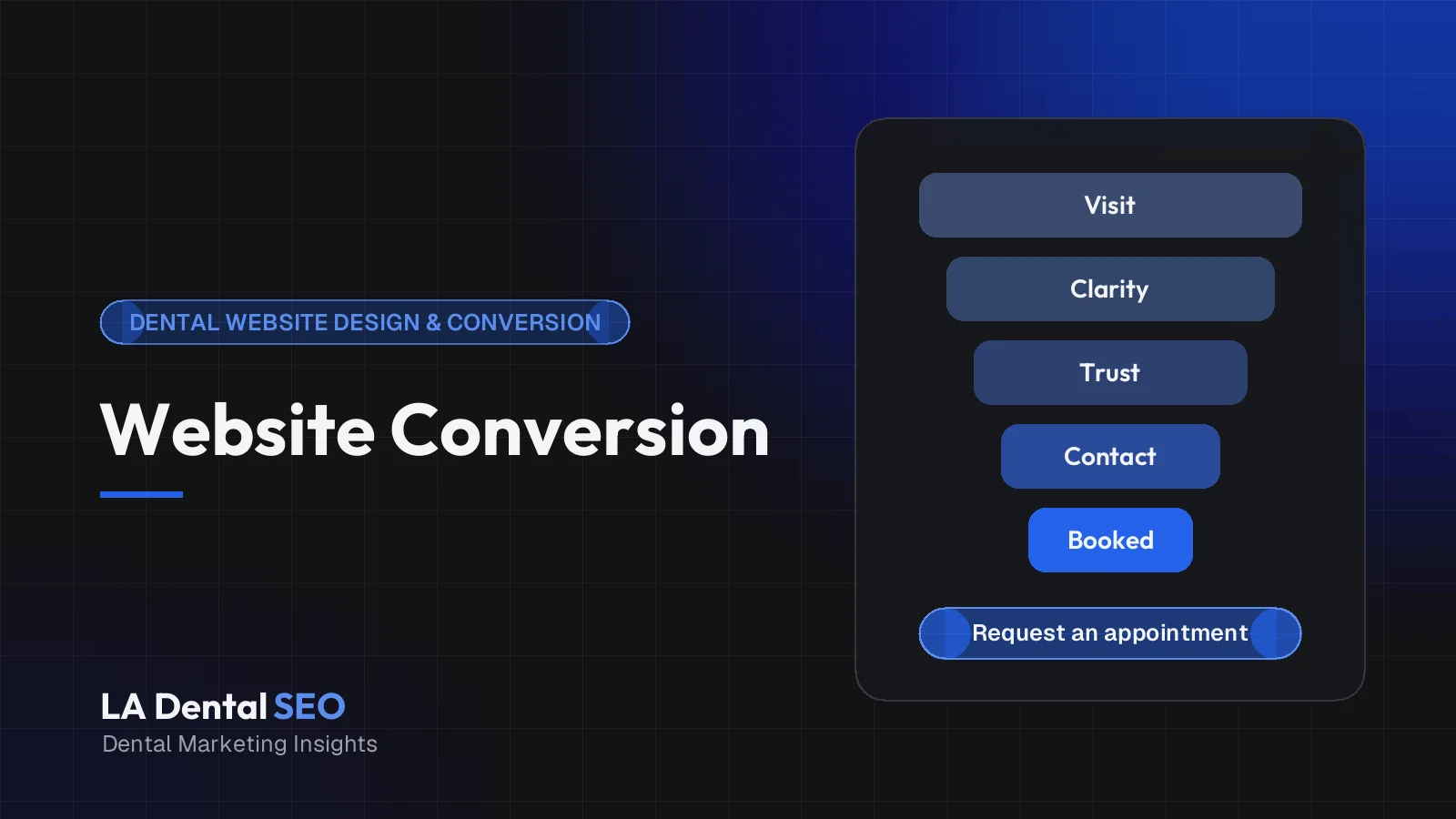
Five Steps From Dental Website Visit to Appointment Request
- Landing page clarityVisitor confirms they found the right practice. Common friction: a vague slogan, rotating slider, or no visible location.
- Treatment relevanceVisitor finds their specific need. Common friction: ad clicks sent to a generic homepage or a thin services list.
- Evidence and trustVisitor looks for proof. Common friction: stock photos, missing dentist bios, and claims nobody can verify.
- Easy contact actionVisitor tries to reach you. Common friction: a tiny phone number, buried booking link, or overly long form.
- Successful inquiryThe request actually arrives. Common friction: form errors, no confirmation message, or calls that go unanswered.
To find your biggest leak, open the landing page report in Google Analytics, split it by device, and look for entry pages with steady traffic but few calls or form submissions. That page is a better starting point than a full redesign.
What Should Patients See in the First Five Seconds?
On the first screen, a visitor should learn what kind of dentistry you provide, where you are, and how to reach you. A specific headline, the practice location or neighborhood, a tappable phone number, and one clear appointment button do more work than an animated slider or a generic welcome message.
Try a five-second test: show your homepage on a phone to someone unfamiliar with the practice, take it away, and ask what the office does, where it is, and how they would book. Any hesitation points to the fix.
Illustrative example: "Your Smile Is Our Passion" gives a visitor nothing to act on. "Family and Cosmetic Dentistry in Culver City, Open Saturdays" confirms the service mix, the area, and a scheduling advantage in one line. Across Los Angeles, where drive time and parking shape choices, naming the neighborhood is practical information. Also question anything that crowds that first screen: auto-rotating sliders, cookie banners or chat bubbles covering the call button, and pop-ups that appear before the visitor has read a word.
Why Is Mobile Usability So Important?
Many patients look for a dentist on a phone, often in a hurry or while comparing several offices. Check your own Analytics device report. If phones bring most of your visits, the mobile layout is effectively your website, and its tap targets, loading speed, and readability decide whether people call.
A narrowed desktop browser is not a phone test. Use a real mid-range phone on cellular data and try every important task with one thumb. WCAG 2.2 sets a minimum pointer target of 24 by 24 CSS pixels, with exceptions (W3C). Treat that as a floor: primary buttons should be larger and spaced away from other links.
Mobile dental homepage checklist
- Headline names the main services and the city or neighborhood.
- Phone number is a tappable text link in the header, not an image.
- One primary action (Call or Request Appointment) is visible without scrolling.
- Hours, address, and a working directions link appear on the homepage.
- Body text is readable without zooming and has adequate contrast.
- No pop-up appears before the first screen can be read.
- Insurance and payment information is one tap from the menu.
- Images are compressed, and the layout doesn't jump while loading.
- Forms and booking work in both Safari and Chrome on a phone.
What Makes a Good Dental Landing Page?
A good dental landing page serves one patient need, ideally the one behind the search or ad that brought the visitor. It names the treatment and location clearly, answers the main questions about cost, comfort, and timing, shows relevant proof, and offers one obvious next step without unrelated distractions.
The classic mismatch is sending implant ad clicks to a homepage about cleanings and whitening. A dedicated page that continues the same conversation should include the treatment and area in the headline, what happens at the first visit, honest cost and financing guidance (no prices you can't stand behind), the dentist who performs the work, real photos, and the call and request buttons repeated after key sections. Our guide to implant pages that attract qualified patients covers the organic side.
Illustrative example: an emergency page and a cosmetic page should behave differently. The emergency visitor wants to know whether you can see them today, so phone number, current hours, and same-day policy go first. The cosmetic visitor is researching, so photos, process details, and a consultation request matter more than urgency.
How Should Phone, Booking, and Contact Options Appear?
Put a tappable phone number in the header and on every important page, offer online booking or a short request form for people who prefer not to call, and keep hours and location nearby. Let visitors choose their channel rather than forcing one path on everyone.
Pick one primary action per page, using a simple rule:
- Phone first if your team reliably answers during business hours. Emergency pages almost always belong here.
- Booking first if your scheduler shows genuine availability and many visits happen after hours.
- Request form first if appointments need insurance checks or case review. Call it a request, not a confirmed booking.
Keep button wording consistent across the site. One limitation deserves plain language: a website can't fix a phone that rings out. If calls hit voicemail at lunch, more traffic just means more missed opportunities, so review call logs alongside website data.
How Do Trust Signals Affect Patient Decisions?
Patients look for evidence that a practice is real, qualified, and comfortable to visit. Named dentists with accurate credentials, genuine office photos, recent reviews, and clear insurance and payment information reduce uncertainty. Stock images, unverifiable claims, and vague superlatives usually weaken trust instead.
Specific beats impressive. "Award-winning care" means little without the award's name, while a bio that states where the dentist trained and which treatments they perform gives a reader something to evaluate, as long as every detail is true. Link to your Google Business Profile reviews rather than relying on hand-picked quotes; your Google Maps work and website should reinforce each other. Keep insurance lists current.
Testimonials and before-and-after photos involve patient information, so get written authorization and follow your state dental board's advertising rules. Our article on HIPAA-aware review generation covers that side.
What Makes a Contact Form Too Complicated?
A form is too complicated when it asks for more than the practice needs to respond. For a first inquiry, name, phone or email, preferred contact method, and a general reason for the visit are usually enough. Medical history, insurance ID numbers, and birthdates belong in secure intake systems later.
Length is only one problem. These quietly kill submissions too:
- Placeholder text instead of visible labels (WCAG 2.2 expects labels or instructions for input).
- Errors that appear only after submitting, or that wipe what the visitor typed.
- Puzzle CAPTCHAs that are hard to solve on a small screen.
- No confirmation message, or submissions routed to an inbox nobody checks.
Add a short line asking visitors not to include medical details, since a marketing website isn't the place for clinical information. Then submit the form yourself every month, on a phone, all the way to the inbox. Plugin updates and email deliverability changes break forms more often than most practices notice.
How Do Speed and Technical Problems Create Friction?
Slow loading, layout jumps, and sluggish responses to taps make a site feel broken, especially on phones. Google's Core Web Vitals measure these as Largest Contentful Paint, Interaction to Next Paint, and Cumulative Layout Shift. Typical dental-site culprits are sliders, oversized photos, excess plugins, and stacked scripts.
Google's guidance defines "good" as LCP within 2.5 seconds, INP of 200 milliseconds or less, and CLS of 0.1 or less, measured at the 75th percentile of page loads for mobile and desktop separately (web.dev). PageSpeed Insights and Search Console show field data when enough exists.
Prioritize fixes visitors can feel: swap sliders and hero videos for one compressed image, remove unused plugins and scripts, and reserve space for images and embedded maps so nothing shifts just as someone reaches for the call button. Also check for broken links, expiring SSL certificates, and booking widgets that fail in one browser.
Which Conversion Events Should Dental Clinics Track?
Track actions that signal a real attempt to become a patient: successful form submissions, calls from the website, completed online bookings, and requests for directions. Mark only the most meaningful actions as key events in Google Analytics, and keep form contents and health details out of analytics and advertising tools entirely.
Google Analytics describes a key event as one that "measures an action that's particularly important to the success of your business" (Google Analytics Help). If everything is a key event, nothing is.
- Form success: fire on the confirmation state, not the button click.
- Phone link taps: show intent, not a completed call. If you use call tracking, keep your published practice number consistent across the web.
- Completed bookings: the strongest online signal, if your scheduler can report completions without exposing appointment details.
- Directions clicks: useful context, weaker evidence.
Keep health information out of tracking
Google asks that nothing passed to Analytics be recognizable as personally identifiable information (Google Analytics Help). Dental practices have another layer. The HHS Office for Civil Rights bulletin on online tracking technologies explains when HIPAA applies to tracking tools, including on scheduling pages (HHS). HHS notes on that page that a federal court vacated part of the guidance in 2024, specifically its treatment of IP addresses and unauthenticated public pages. The practical approach still holds: send only generic event names, never field values or treatment details, and have privacy counsel review any ad pixels on booking or confirmation pages. This is general information, not legal advice.
What Should You Test Before Redesigning?
Before paying for a redesign, confirm what is actually broken. Test every form and booking path end to end, review call handling, compare landing-page engagement by traffic source, and watch a few unfamiliar people try to book on a phone. Many problems can be fixed without a rebuild.
A redesign resets your baseline and can introduce lost pages and broken redirects. Fix the current site when problems sit in specific pages, buttons, or forms and the platform is current and editable. Consider a rebuild when the theme can't be updated safely, every edit needs a developer, or your services and locations have outgrown the structure.
Either way, record four to eight weeks of baseline data and change one major element at a time. Watch for seasonality, such as year-end insurance deadlines. Be realistic about A/B testing: many single-location practices lack the traffic for a split test to reach a reliable answer quickly, so careful before-and-after comparisons with front-desk data are often more practical. See our before-and-after website examples for the kinds of changes worth considering.
A Practical 30-Day Conversion Optimization Checklist
Week 1: Measure
- Complete every form and booking path on a phone and a desktop.
- Confirm form tracking fires only on success and sends no field values.
- Start a front-desk tally of new-patient calls, real requests, and spam.
Week 2: Fix contact paths
- Make the phone number tappable everywhere and add a mobile Call and Book bar.
- Cut forms to essential fields with visible labels and a clear confirmation.
- Check call logs for missed calls during busy website hours.
Week 3: Strengthen pages and trust
- Rewrite the homepage headline to name services and location.
- Point each ad campaign to its most relevant treatment page.
- Update bios, photos, and insurance information for accuracy.
Week 4: Speed, accessibility, review
- Remove sliders, unused plugins, and stale scripts; compress large images.
- Check contrast, button sizes, and keyboard access on key pages.
- Compare results with your baseline and choose the next single change.
For the technical layer beneath these pages, see our dental schema markup guide or browse our dental marketing services.
Key Takeaways
- Diagnose before redesigning: fix landing pages that get traffic but few real inquiries first.
- Make the first mobile screen say what you do, where you are, and how to reach you.
- Send each ad or search intent to a dedicated treatment page with one clear next step.
- Keep first-contact forms short, labeled, and free of clinical details, and test them monthly.
- Track successful submissions, calls, and bookings, reconcile them with front-desk records, and keep health information out of every tracking tool.
Frequently Asked Questions
What is a good conversion rate for a dental website?
There's no reliable universal number. Rates vary with traffic source, treatment mix, location, and how a conversion is defined, and published averages often mix industries and methods. Your own baseline, measured consistently over several weeks, is the most useful comparison.
Is online booking better than phone calls?
Not automatically. Booking helps when it shows real availability and patients use it after hours. It frustrates people when it's really a request form in disguise. Many practices offer both and choose one as the primary action for each page.
Should we add live chat?
Only if someone answers promptly. An unattended chat window adds clutter, can cover the call button on phones, and may collect health details.
Do pop-up offers help dental websites convert?
They often distract more than they help, especially when they fire immediately on a phone. If you test one, delay it and make it easy to close. A new-patient offer displayed within the page is usually less intrusive.
Turn More Visits Into Real Appointment Requests
Most dental websites don't need more traffic as much as fewer obstacles between a visitor and the front desk. Measure first, fix the contact paths, and let your own data choose the next change. If you'd like a second set of eyes, we're glad to help.
Talk With Us About Your WebsiteSources and Further Reading
- Web Vitals, web.dev (Google).
- [GA4] About key events, Google Analytics Help.
- Best practices to avoid sending Personally Identifiable Information (PII), Google Analytics Help.
- Use of Online Tracking Technologies by HIPAA Covered Entities and Business Associates, U.S. Department of Health and Human Services, Office for Civil Rights.
- Understanding Success Criterion 2.5.8: Target Size (Minimum), W3C Web Accessibility Initiative.
- Web Content Accessibility Guidelines (WCAG) 2.2, W3C.